
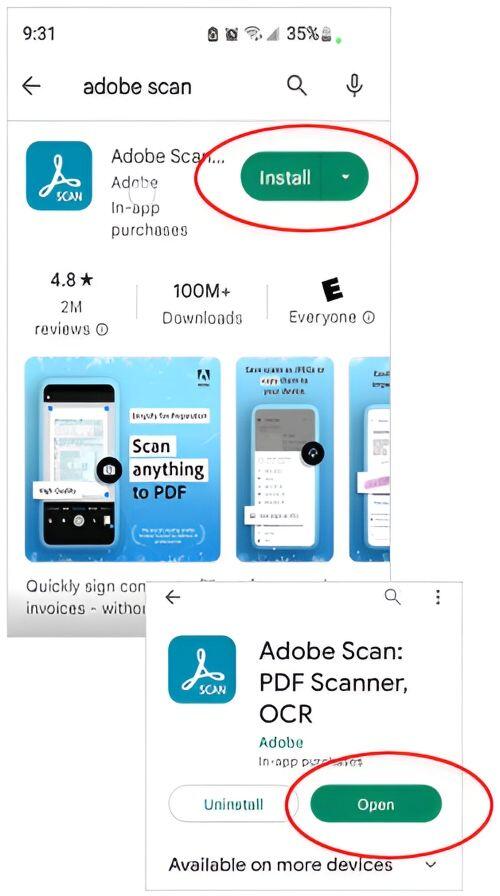
With Adobe Scan, easily capture and convert your documents into digital pdf files.
Follow these step-by-step instructions on how to use the Adobe Scan App
Step 1: Install the app on your iPhone or android
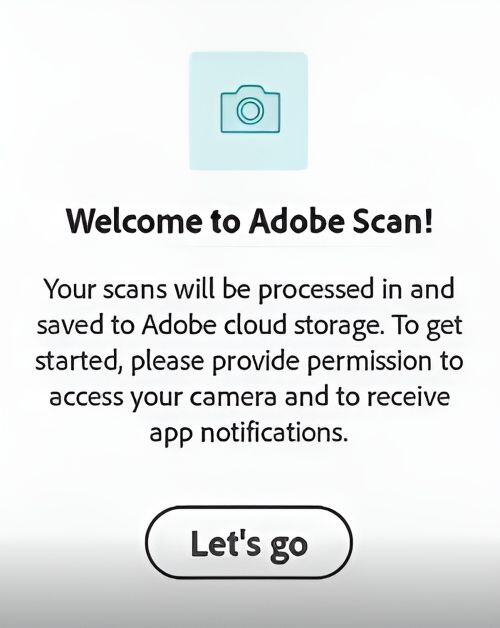
Step 2: View the Welcome to Adobe Scan
Step 3: Open the App and highlight document
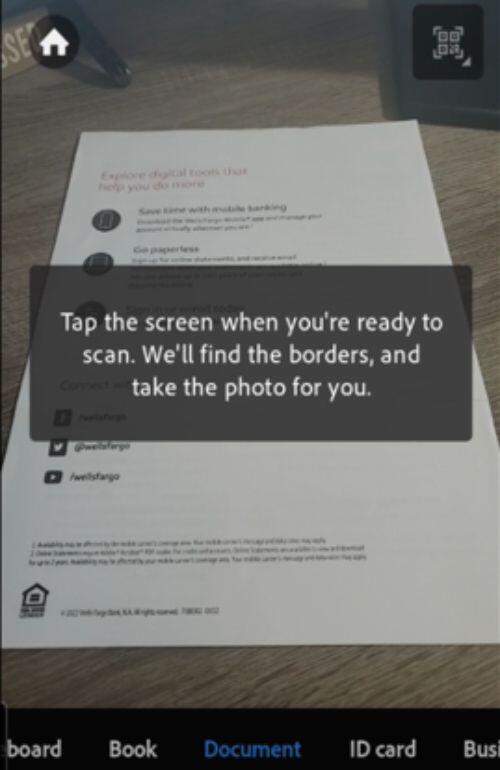
Step 4: Adjust the guides to capture entire page
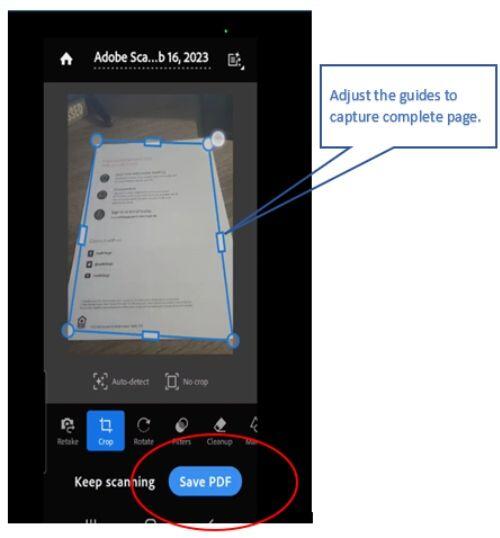
Step 5: Show scanned pdf
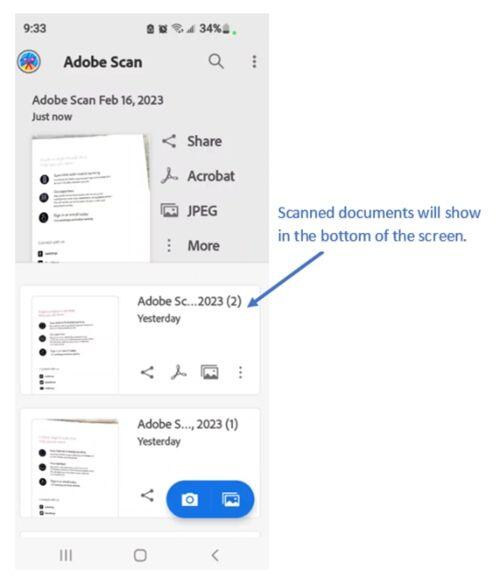
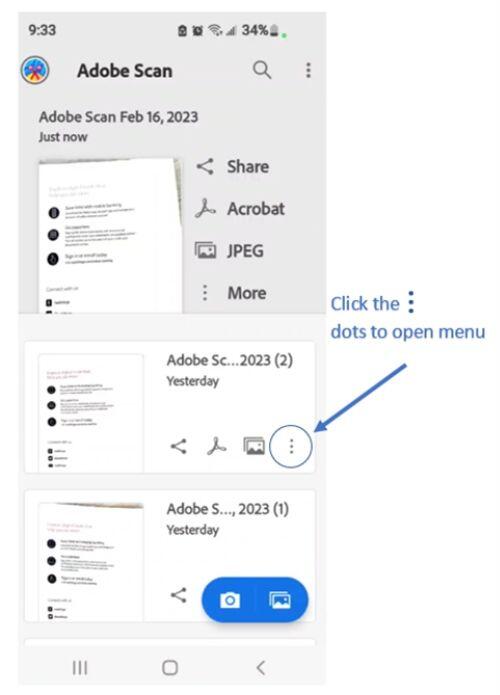
Step 6: Click the 3 dots to open menu
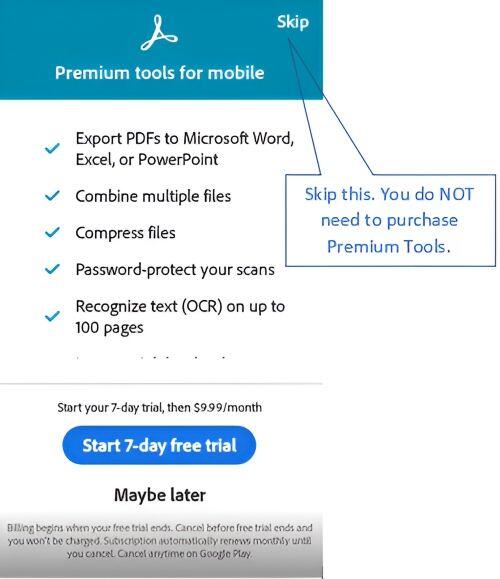
Step 7: Skip the premium offer – you don’t need it
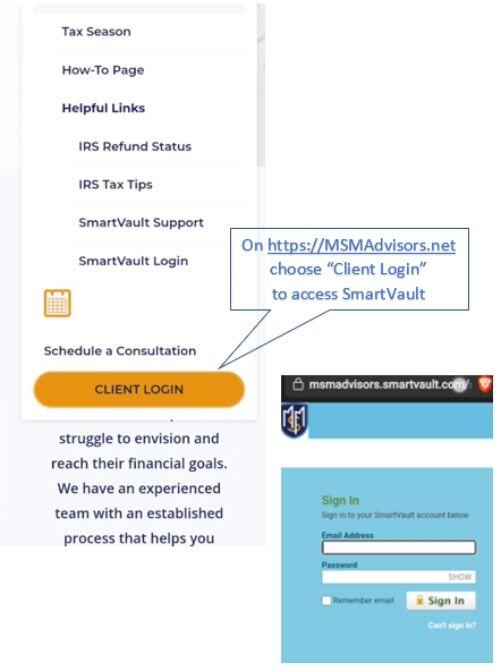
Step 8: Go to MSM client login to access Smart Vault
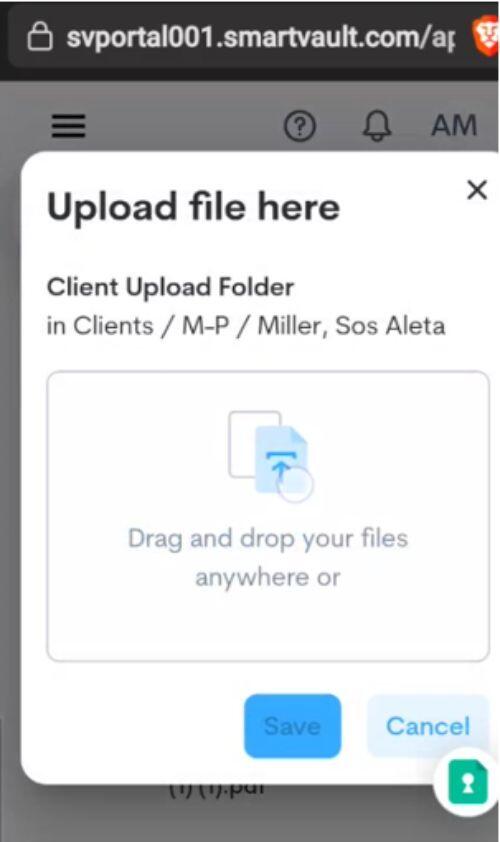
Step 9: Upload the pdf files in Smart Vault
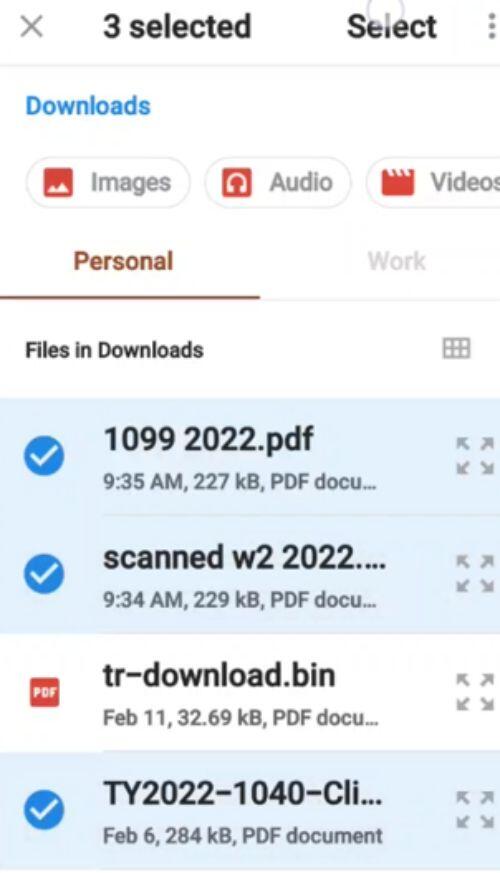
Step 10: Select the scanned files on your phone
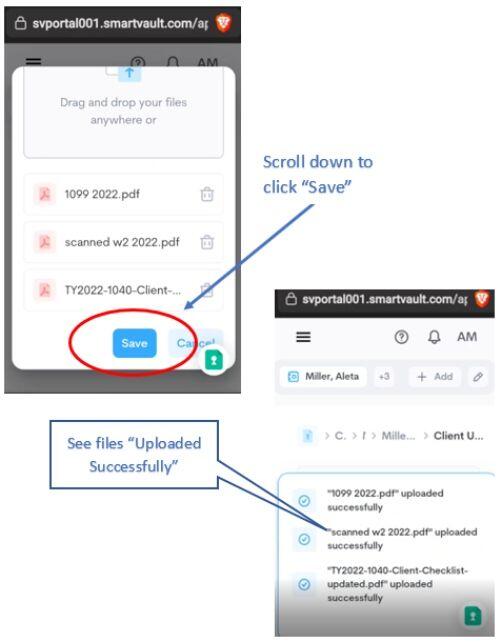
Step 11: Click “Save” and view files that were uploaded
MSM
MSM Advisors, LLC
A Georgia CPA and advisory firm helping small and mid-sized businesses grow, save on taxes, and gain peace of mind since 1991.

Let's talk about your business
Request your complimentary consultation and get a clear, no-pressure look at how we can help you grow, save on taxes, and gain peace of mind.
Free 30-minute consultation · No obligation · For businesses with $250K+ in annual revenue